Сообщения пользователя: somethingsomething

Сообщение #3
don't know if anyone did anything, but it's working now. thanks
Сообщение #2
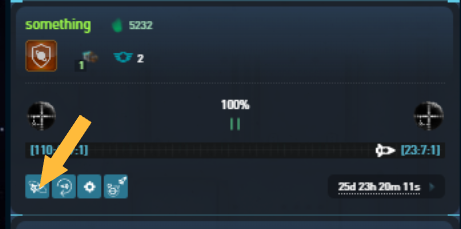
There are two issues. The pirate OPS is not visible until I get a visual, and to accomplish this I need to find it by getting a direct line of sight. When I'm clicking the button on the 2.nd screenshot (fleet overview) nothing happenes. I can't access the ship to move it to local coordinates.
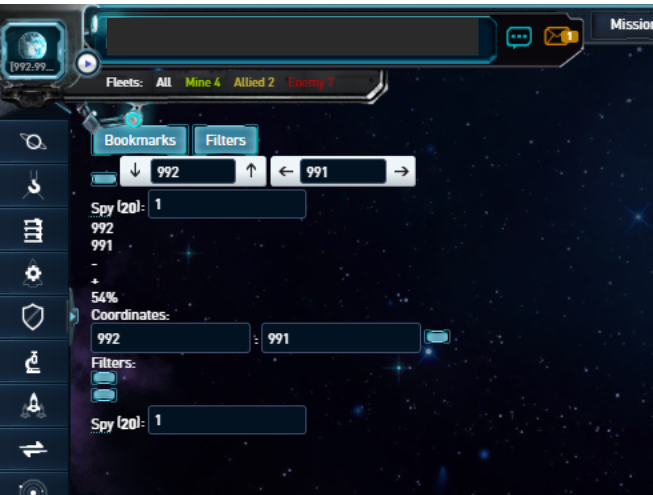
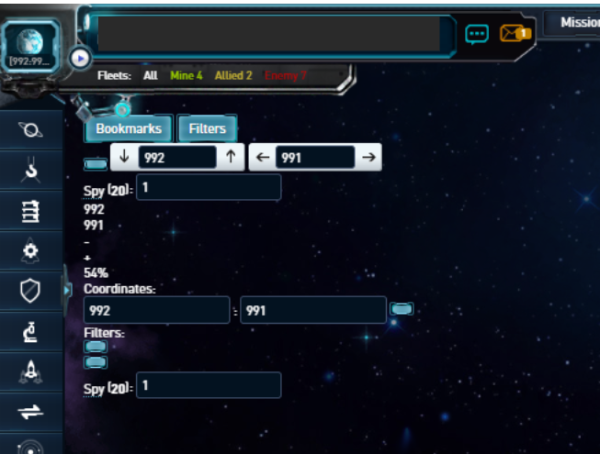
The other issue is the control panel on screenshot one. It's in the wrong place. It should be on the top right side, not top left side as the screenshot shows.
Hope this clears things up
The other issue is the control panel on screenshot one. It's in the wrong place. It should be on the top right side, not top left side as the screenshot shows.
Hope this clears things up
Сообщение #1
The user on whose account the problem was detected:
something
Coordinates:
996:989:6
Date or time of the incident (according to server time):
23:40:00
Description:
The screenshot shows the problem, it comes up when I click the fleet overview icon but only when I'm in galaxy mode. If I click the fleet overview icon from the overview, buildings, resources, fleets, or trade view, nothing happenes (screen doesn't change). If I'm clicking the fleet overview icon from the shipyard, defence or research view, the screen changes showing only the planet but no ship(s).
Actions required to repeat the problem:
Don't know if it's only problem for the google chrome browser
Screenshot:
something
Coordinates:
996:989:6
Date or time of the incident (according to server time):
23:40:00
Description:
The screenshot shows the problem, it comes up when I click the fleet overview icon but only when I'm in galaxy mode. If I click the fleet overview icon from the overview, buildings, resources, fleets, or trade view, nothing happenes (screen doesn't change). If I'm clicking the fleet overview icon from the shipyard, defence or research view, the screen changes showing only the planet but no ship(s).
Actions required to repeat the problem:
Don't know if it's only problem for the google chrome browser
Screenshot: